
Guides
Best City Layout & Build Order in Build and Conquer Roblox
Best city layout in Build and Conquer Roblox: road grid, apartment density, utilities, commercial strips, industrial separation, and a pre-military checklist.
FAQ
What is the best build order for a new city in Build and Conquer Roblox?
Should you use commuter housing for fast population in Build and Conquer?
Where should industrial buildings go in Build and Conquer?
When should you buy more land versus tightening your grid?
What city level do you need before military factories?
The best city layout in Build and Conquer on Roblox (The Slop Company, V0.1 Beta, place 103767961452227) is not a secret ratio—it is a build order Roblox already describes (empty plot → roads → shops → utilities → expansion) plus zoning habits community guides repeat: roads first, apartments over commuter spam, utilities that keep pace, commercial on main roads, industrial separated, and cash stable before you fund barracks. This page is a layout decision framework; numeric city tiers live on city levels and 250-population military prep.
Screenshots below come from Fundo’s beginner-layout walkthrough (NasEwenb580). The HUD in that video is a late-game demo save (about $24.6M–$24.8M cash and ~10,600 population on the frames we use)—not a fresh empty plot. Copy the road and zoning patterns, not those totals, during your first hour.
What should you build first on an empty plot in Build and Conquer Roblox?
Roblox’s Games API description says you start on an empty plot and should grow neighbourhoods, roads, farms, shops, factories, power plants, and water networks before leaning on war production. If you need menu labels first, skim the beginner guide; community walkthroughs (buildandconquerroblox.wiki building guide, single source) translate the same loop into a repeatable first pass:
- Road skeleton — one or two crossing arterials so every later tile has a legal road hook (build cards in footage state placement rules such as “within 4 studs of a road” on the Large Military Factory).
- Starter housing — mid-rise apartments once utilities exist, not a wall of cheap commuter beds (see next section).
- Power and water — at least one generator and water tower scaled to your first block; details in power and water utilities.
- First commercial — a supermarket, strip mall, or gas station called out in community economy guides for Next Pay income; pair with make money fast.
If your grass still has gaps inside the plot border, finish that grid before chasing mainland tunnels. Community wikis sometimes cite $200,000 adjacent plots as early expansion costs—a single-source report we have not seen confirmed in Fundo HUD frames. What is official, community-reported, and visible on screen is laid out on buy land and expand city.
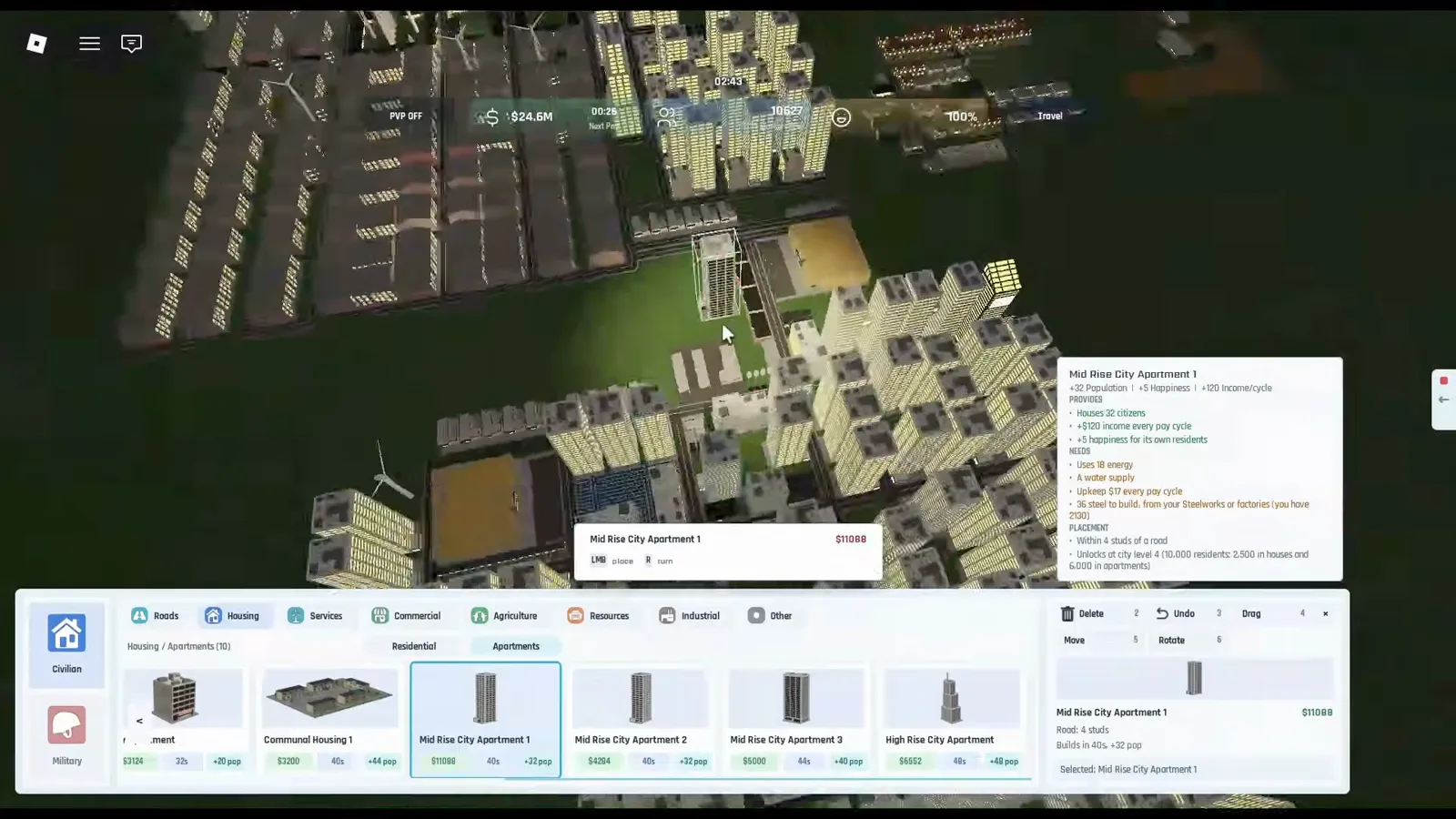
Same late-game demo save: Mid Rise City Apartment 1 placement ghost on a road-linked tile next to existing apartments and industrial blocks—your cash and population HUD will read much lower on a new plot. Source: Fundo.

Fundo starter city layout on Build and Conquer Roblox (place 103767961452227)
How do roads and residential density affect population growth?
Per community reports, roads unlock placement and connect workers to commercial income, while density decides how fast you reach military milestones without tanking happiness. buildandconquerroblox.wiki (single source) cites about 32 residents for mid-rise apartment Type 2-1 and about 48 for a narrow high-tier apartment—always read your live tooltip; Fundo’s demo save already uses higher tiers.
Layout tips (our editorial suggestions, not game rules):
- Build rectangular blocks bordered by roads so you can swap apartment tiers without replotting the whole city.
- Leave utility alleys (a road row reserved for water towers and generators) so a density upgrade does not force demolishing shops.
- On advanced saves, most residents sit in apartments rather than houses—plan blocks for mid-rise rows, not only suburban loops (happiness and housing explains the commuter trap).
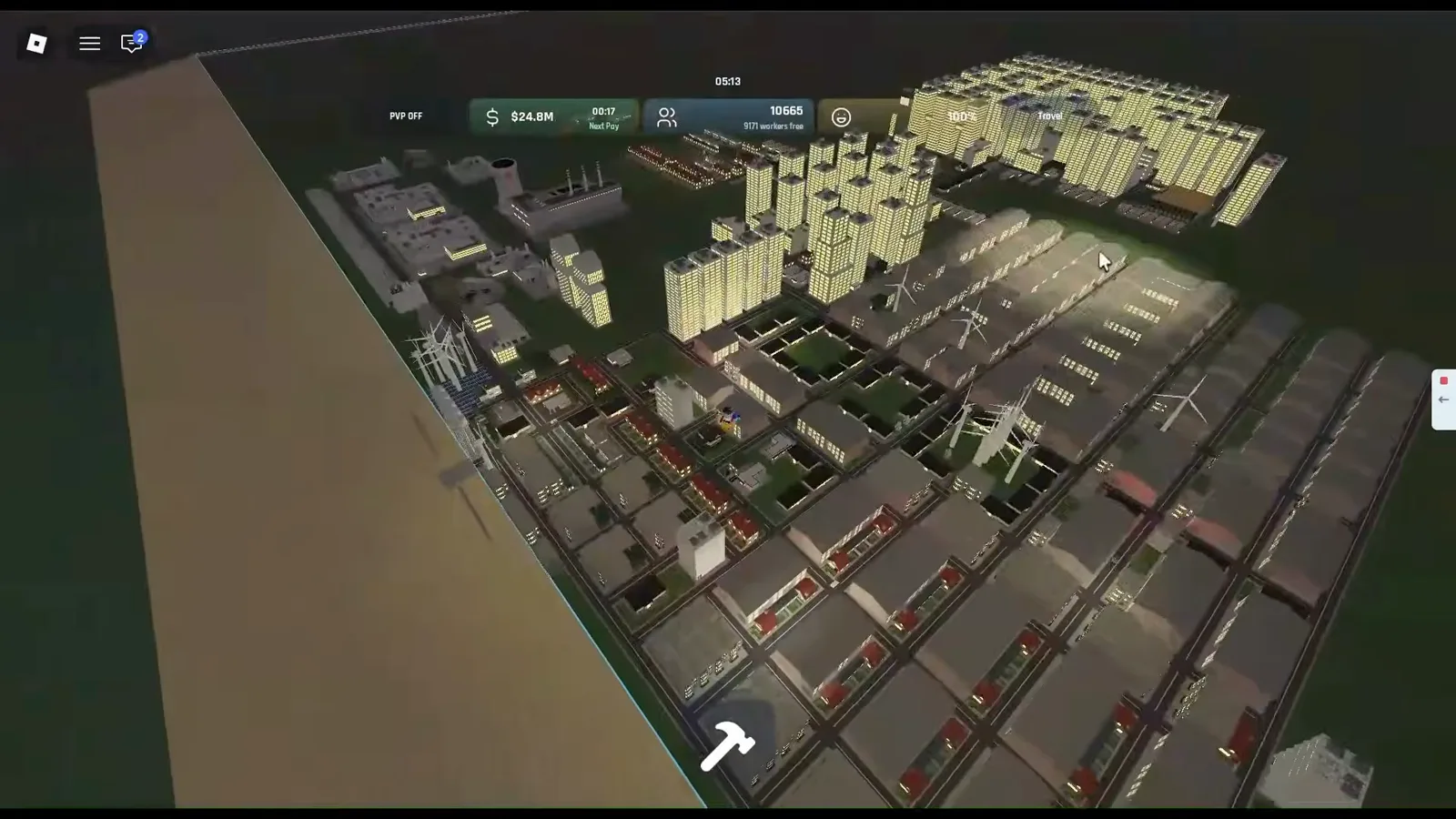
Same late-game demo save: high-rise bedrooms stay on one side of the road network while flat industrial rows and turbines occupy another—mirror the split even when your city is smaller. Source: Fundo.
Why does commuter housing hurt happiness, and what should you build instead?
Community guides warn that spamming commuter or communal housing—cheap beds that inflate headcount—can lower happiness and eventually cost population, while apartment complexes stabilize satisfaction. Roblox lists happiness as an official management axis but publishes no formula, so treat commuter risk as community-reported until your HUD proves otherwise.
Layout-facing takeaway (full mechanics on happiness and housing):
- Use commuter pieces only as short-term filler when you already plan to replace them with apartments on the same road frontage.
- Prioritize apartment lines that show positive happiness on the build card before you paste a whole district.
- When happiness dips, fix power, water, and road connectivity first—community walkthroughs and other guides note that homes need power, water, and a road to count toward city-level text; verify the wording on your patch in Buildings → City.
None of the Fundo frames we ship show commuter-only happiness collapse—read the Happiness line on each build card before you paste a whole district.
Where should commercial and utility buildings sit in your layout?
Community building guides place supermarkets, strip malls, gas stations, and upgradeable big-box stores along main roads residents already use, while community guides only say utilities must scale with housing—keeping them inside the grid but slightly offset from the densest bedroom blocks is our suggestion, so expansions do not require deleting income tiles.
Practical zoning pattern:
| Zone | Suggested placement | Why (community + official) |
|---|---|---|
| Utilities | Mid-grid pocket with road access on two sides | Official loop names power plants and water networks; guides say towers must scale with housing |
| Commercial | Frontage on your busiest arterial | Economy guides tie Next Pay to population + commercial |
| Services | Near civic pieces if unlocked | Listed as precincts and banks in community guides—verify names in your menu |
| Agriculture | Optional; no sourced placement rule | Named in Roblox’s description; no cited guide ties farms to the first military unlock |
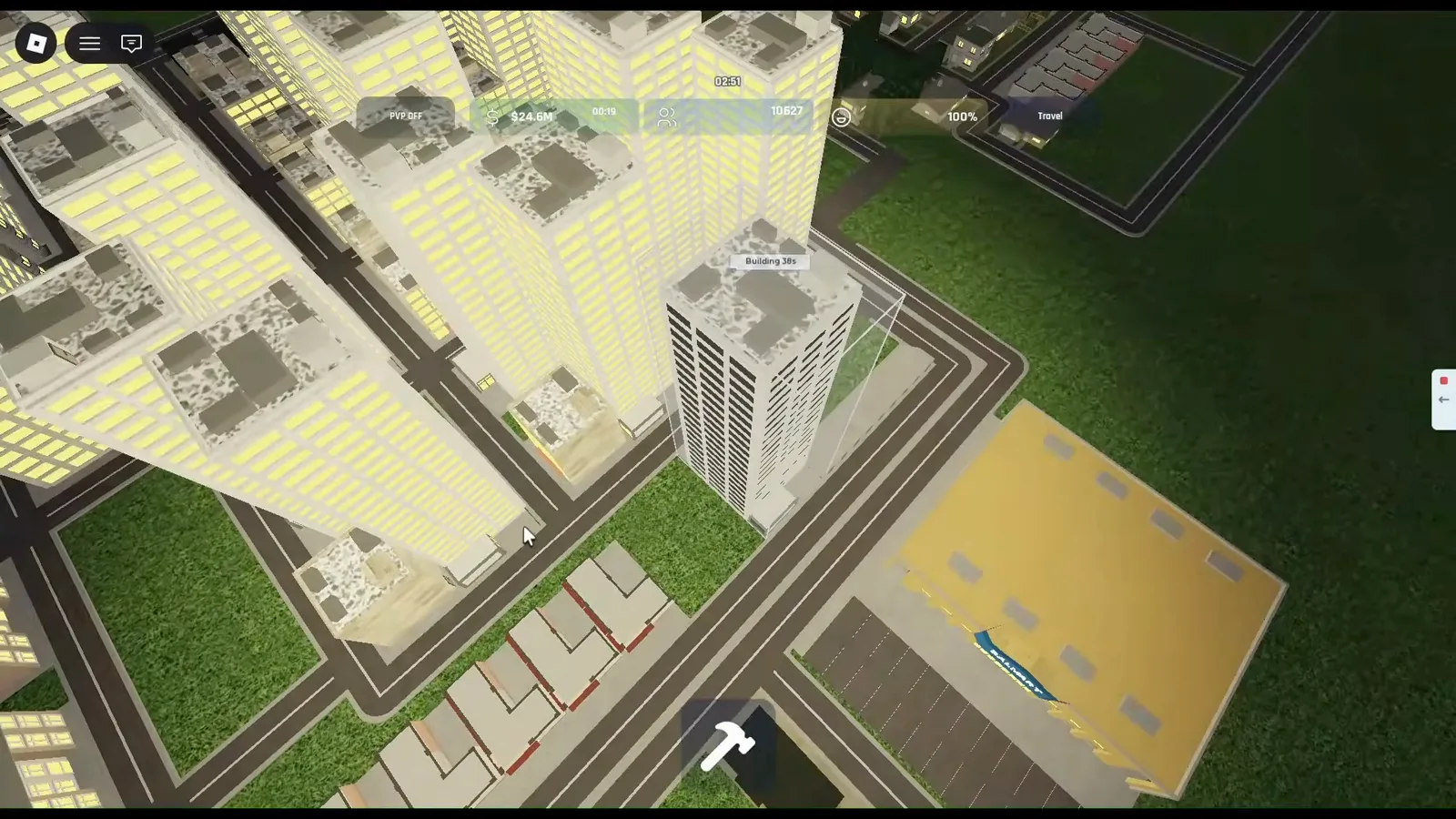
Large commercial frontage on a paved road grid, low-density houses on the same block, and apartment towers behind—late-game demo save HUD, but the road-facing retail placement matches community guides. Source: Fundo.
When should you separate industrial zones from your city core?
Per community reports, keep refineries, steel plants, extractors, and military factories in a separate zone so smokestacks and queues do not sit inside your apartment rectangles. Roblox’s description already separates factories from neighbourhoods conceptually; the game does not publish pollution radii or minimum spacing.
Separation checklist:
- Run resource extractors → refineries → steel on the industrial side before you queue fuel and steel resource chain units in the same pocket.
- Leave buffer roads between industrial and residential so expansions do not force demolishing housing.
- When weapon storage fills, community update footage on other guides shows 500/500 pausing production on wealthy accounts—free storage or plan more footprint before queueing extra factories.
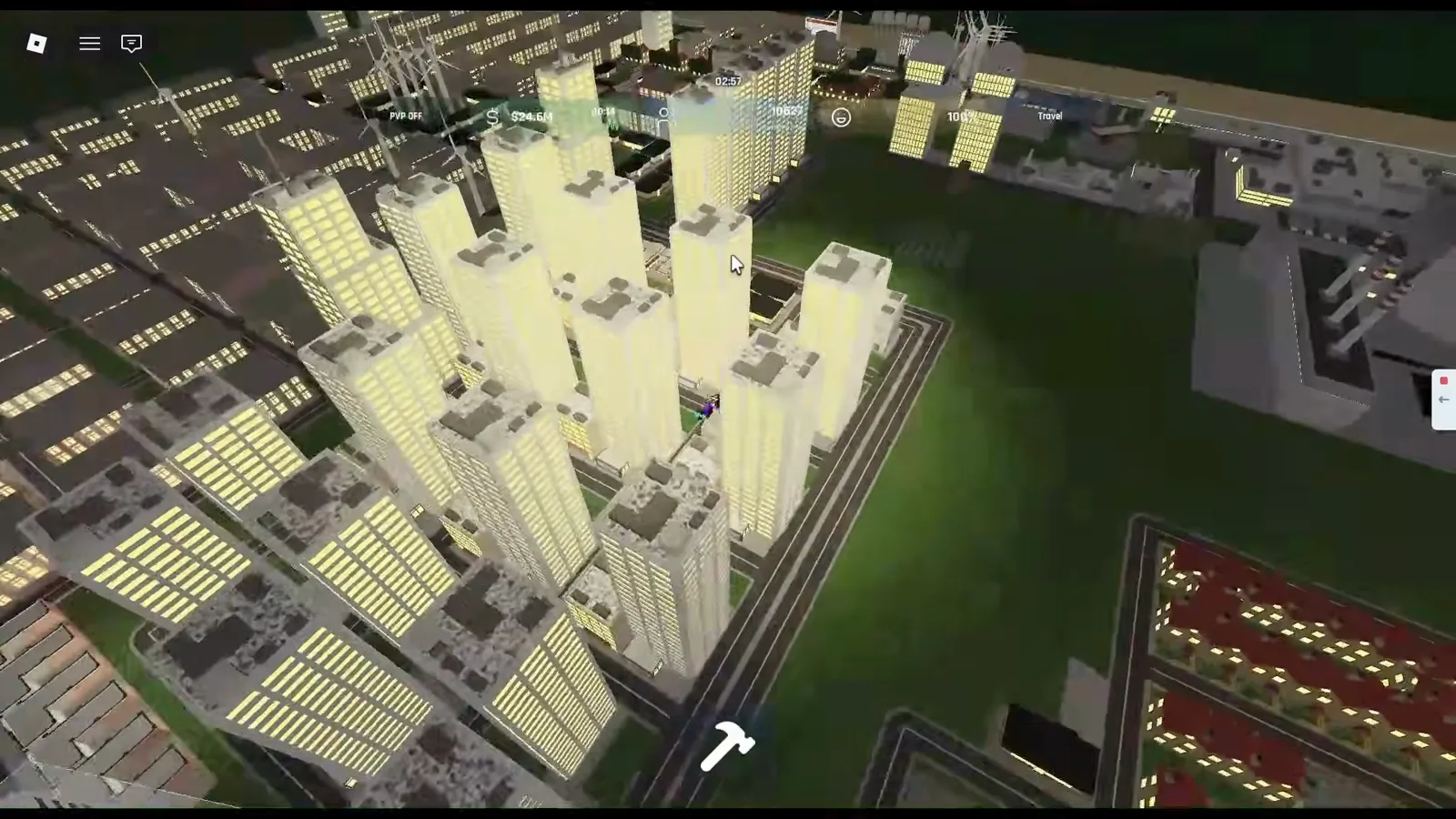
Central apartment towers, edge industrial stacks, and suburban houses on separate road blocks in Fundo’s late-game demo—keep factories out of your main bedroom rectangles even at starter scale. Source: Fundo.
What should your layout look like before you spend on military?
Official Roblox text already warns that a strong economy should precede protecting what you built. Community guides add concrete gates: multiple sources cite city Level 2 around 250 population for barracks and gun production, while some building cards in video footage show different resident thresholds (for example 500 residents with 300 in houses on other unlock lines). Do not merge those numbers—open Buildings → City and read the live requirement, as explained on city levels and unlock military at 250 population.
Before you spend steel on squads, confirm:
- Happiness and utilities stay stable after your last apartment paste (happiness and housing, power and water utilities).
- Commercial income covers upkeep on any test barracks or Small Military Factory (military production setup).
- Industrial wedge is ready so military queues do not bulldoze bedrooms.
- Air defense and drones have a plan—layout only needs a pad lane; details sit in drones and UAV and air defense guide when you are mainland-ready.
Community guides also note eight guns per infantry squad, making early squads expensive; guides advise deferring early infantry squads and building up housing + commercial first.
Layout readiness checklist
- Road grid covers every planned block with no dead-end housing cul-de-sacs unless intentional.
- Apartments (not commuter spam) carry most population; happiness icons stay positive on new placements.
- Power and water percentages recover within one pay cycle after your largest recent build.
- At least one commercial strip feeds Next Pay per make money fast.
- Industrial / steel sits in a separate zone with space for a future Large Military Factory queue.
- City panel shows the next level requirement you actually need—compare with city levels if wiki numbers conflict.
- Cash reserves cover one military building plus several pay cycles of upkeep before you delete housing for factories.
Related Articles
Guides
Build and Conquer Roblox City Levels: Reach Level 5 Metropolis
Build and Conquer Roblox city levels: L2–L5 gates, card quotas (500, 5,000, 20,000 residents), and 2,500-in-houses tips—check Buildings → City after BETA patches.
Guides
Buy Land & Expand City in Build and Conquer Roblox (2026)
Expand your Build and Conquer Roblox plot: official goals, community $200k land reports (not verified on-screen), blue borders in video, and More City Slots facts.
Military
Build and Conquer Roblox Drones — Shahed-136, Karrar & Launchers
Shahed-136, Shahed-236, and Karrar drones in Build and Conquer Roblox: research times, launcher costs, Large Military Factory UI—verify before mainland PvP.
Was this helpful?
Thanks for the feedback!