
Military
Build and Conquer Roblox Drones — Shahed-136, Karrar & Launchers
Shahed-136, Shahed-236, and Karrar drones in Build and Conquer Roblox: research times, launcher costs, Large Military Factory UI—verify before mainland PvP.
FAQ
How many attack drone types are in Build and Conquer Roblox?
What do you need before researching Shahed-136?
Where do you build drones after research?
Are drones good for missile quest grinding?
How do drone swarms interact with air defense?
Build and Conquer [V0.1] on Roblox (The Slop Company, place 103767961452227) officially mentions manufacturing vehicles and missiles and fighting on the mainland—but it does not publish a drone stat sheet. This guide maps community- and video-captured steps for Shahed-136, Shahed-236, and Karrar attack drones: research, Large Military Factory and launcher placement, and the combat HUD—so you can pair UAVs with military production and mainland PvP without treating YouTube as gospel.
What attack drone units show up in walkthrough UI?
In YellowHeadVin’s update video yQrxMkYV5Tc (single source; not Roblox API text), the Large Research Office DRONES column lists a three-step Standard line:
| Rank (UI label) | Unit name (on screen) | Reported research time (x1 office speed) | Notes from the same capture |
|---|---|---|---|
| II | Shahed-136 | 7m | Requires M16 research and Medium Research Office or bigger; sidebar funding up to $3,500 |
| III | Shahed-236 | 14m | Requires Shahed-136; funding up to $12,000 on screen |
| IV | Karrar | 20m | Locked until Shahed-236 completes |
The same frame is a late-game save in that walkthrough: Hypersonic BM, MRBM, and multiple missile or air-defence nodes already show Researched—do not assume a new account sees that full tree. The narrator also says the game reached three drone types after a level-five city update—we label that as commentary tied to one video, not a permanent roster guarantee.
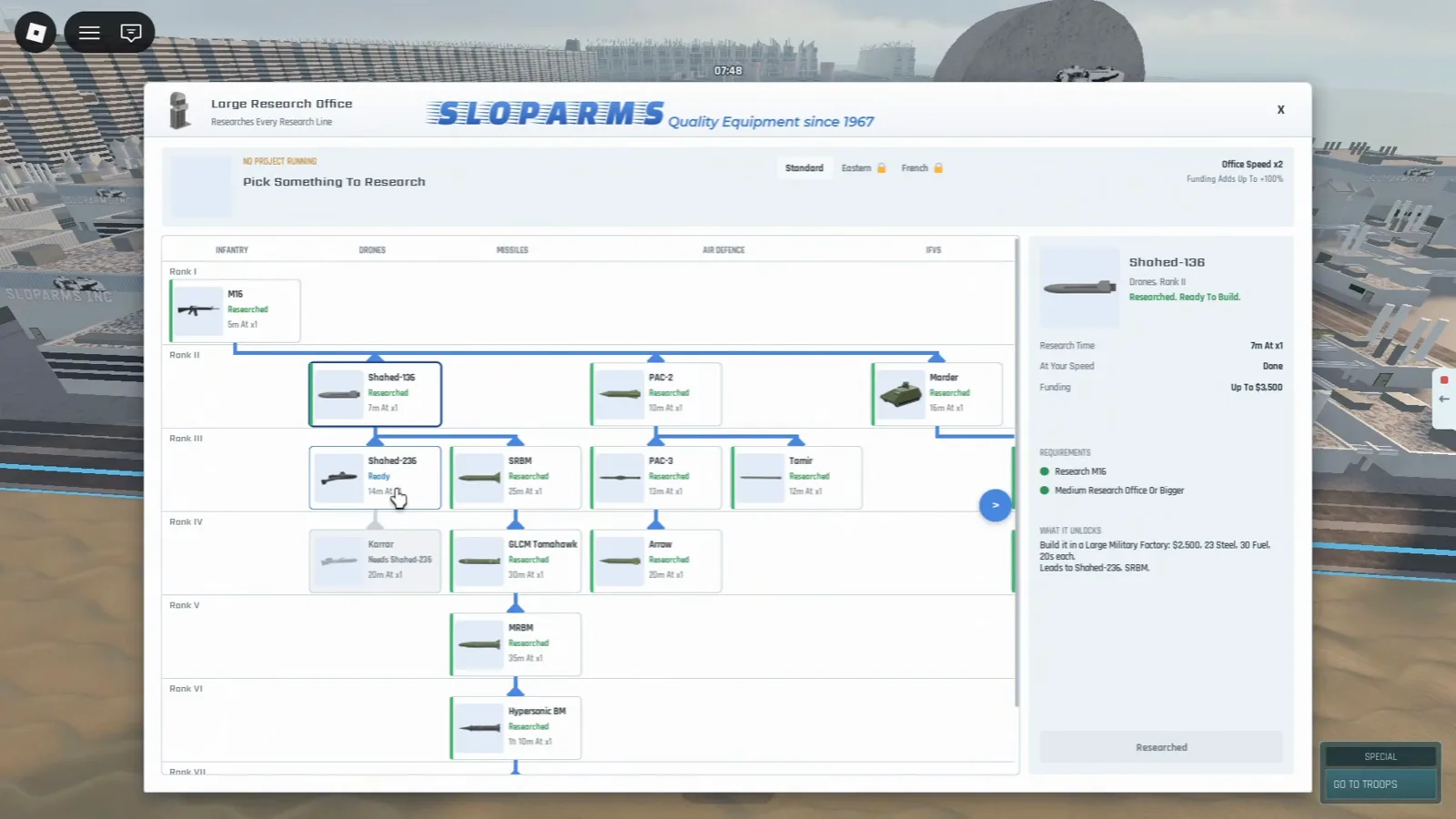
Standard drone ranks on the research tree—YellowHeadVin at 4:43.
How do you unlock Shahed-136 and Shahed-236 research?
Roblox confirms research as a system; it does not list drone prerequisites. In yQrxMkYV5Tc, the presenter opens Military → Research buildings, uses a Large Research Office, and starts Shahed-236 with office speed x2 and funding +100% buffs visible—real-time minutes, not verified offline behavior.
Captured requirement text on Shahed-236 (same session):
- Prior node: Shahed-136 (completed in the footage).
- Building gate: Medium Research Office or bigger (green check in UI).
- Production note in sidebar: build bodies in Large Military Factory for $5,000, 40 steel, 60 fuel, 28s each (UI strings only).
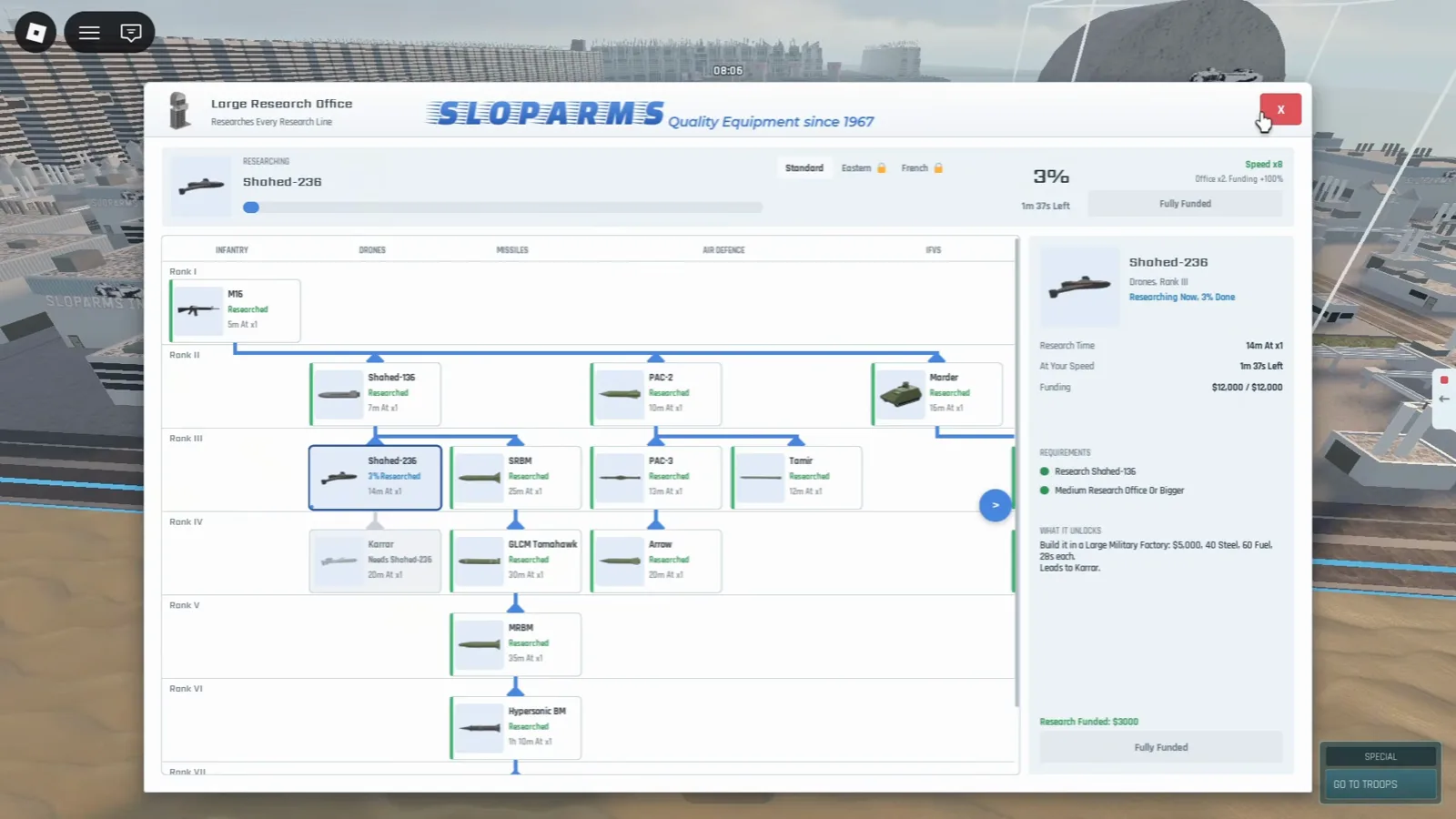
Shahed-236 funding bar and factory price strings—YellowHeadVin at 4:58.
Stand up fuel and steel before you fund long research timers, and keep power and water stable so workers do not stall unrelated builds.
Where do you place drone launchers on your base?
The same video switches to Military → Drones (not the factory interior tab) and highlights launcher cards:
| Launcher (UI) | Build cost (UI) | Build time (UI) | Tooltip rules captured |
|---|---|---|---|
| Shahed-136 Launcher | $2,200 | 24s | Upkeep $10 per pay cycle; 100 per city cap |
| Shahed-236 Launcher | $5,000 | 24s | Requires 1 Shahed-236 unit (max 100 shared) |
| Karrar Launcher | $8,000 | 24s | Same launcher pattern in the clip |
The tooltip on the Shahed-236 Launcher card also reads city level 2 (500 residents; at least 300 in houses)—while other frames in this video show level-five housing grinds and different city cards. Treat that as [contradictory community/UI capture] until your City tab matches one number (see city levels for more unlock strings from the same clip).
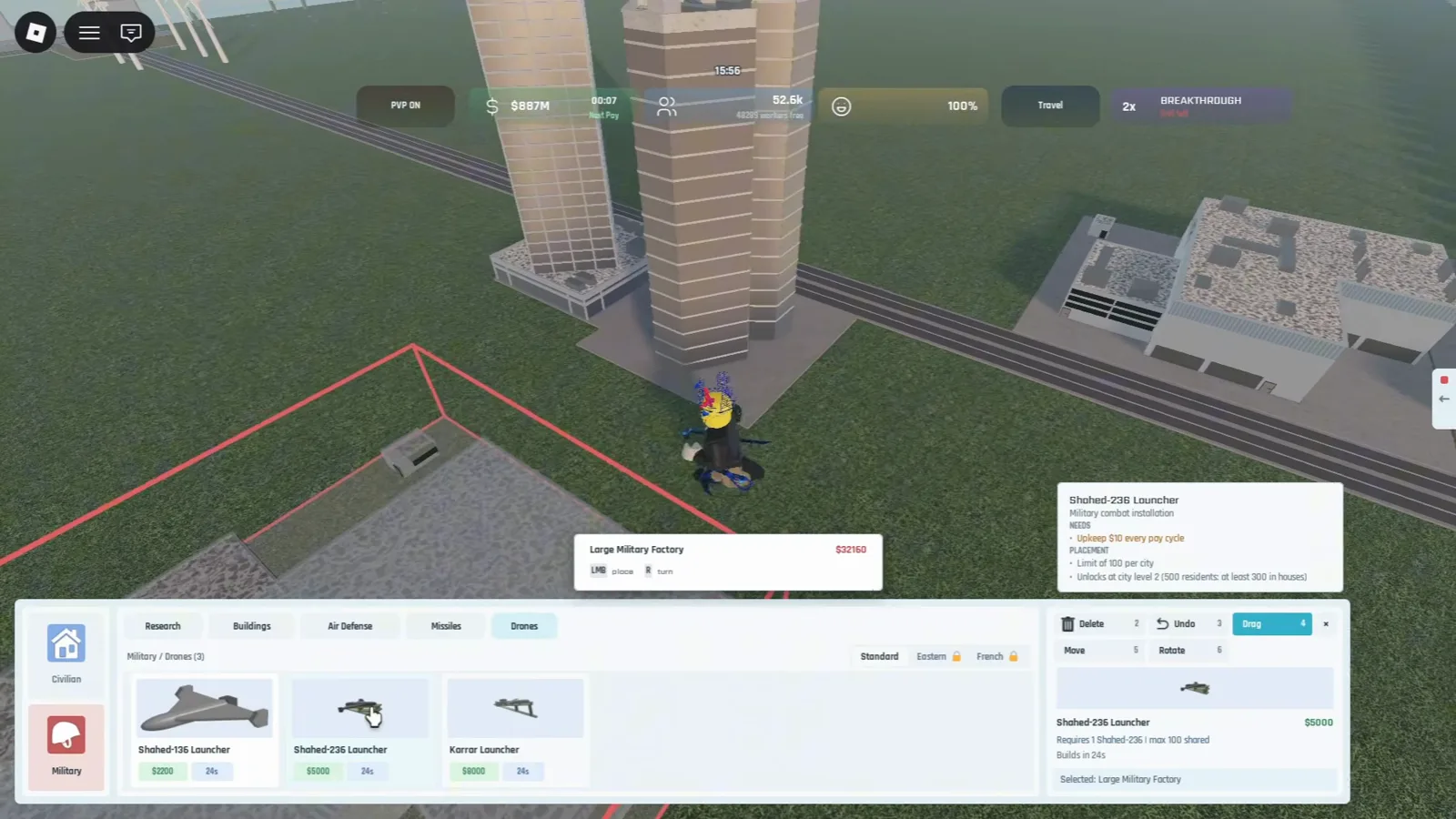
Launcher costs and the 100-per-city cap on the build card—YellowHeadVin at 11:06.
How do you produce and deploy drones for tests?
Large Military Factory on the Industrial build tab is what yQrxMkYV5Tc uses to explain drone production alongside vehicles and missiles. The visible build-card text (single-source UI; not Roblox API copy) states:
- Produces vehicles, missiles, drones and interceptors
- Stores up to 750 steel, 1000 fuel, 500 weapons
- Uses 100 energy, a water supply, 25 workers, Upkeep $100 every pay cycle, 120 steel to build from Steelworks or factories
- Within 4 studs of a road
- Unlocks at city level 3 (5,000 residents: at least 1,500 in houses); the card shows about $32,160 and 48s build time
Per community reports, some building guides cite 8 industrial buildings and very high housing counts (6,000 apartments / 2,500 homes wording) for the same factory—[contradictory] with this card; use your live Buildings → City panel to see which gate your save shows.
Research sidebars in the same session list per-tier factory strings (Shahed-136: $2,500, 23 steel, 30 fuel, 20s each; Shahed-236: $5,000, 40 steel, 60 fuel, 28s each). Military → Drones launchers (previous section) are a separate build step for field tests.
Before mainland raids, finish 250 population military unlock so you are not placing launchers without steel income, and keep industrial zones separated from housing per best city layout and build order.
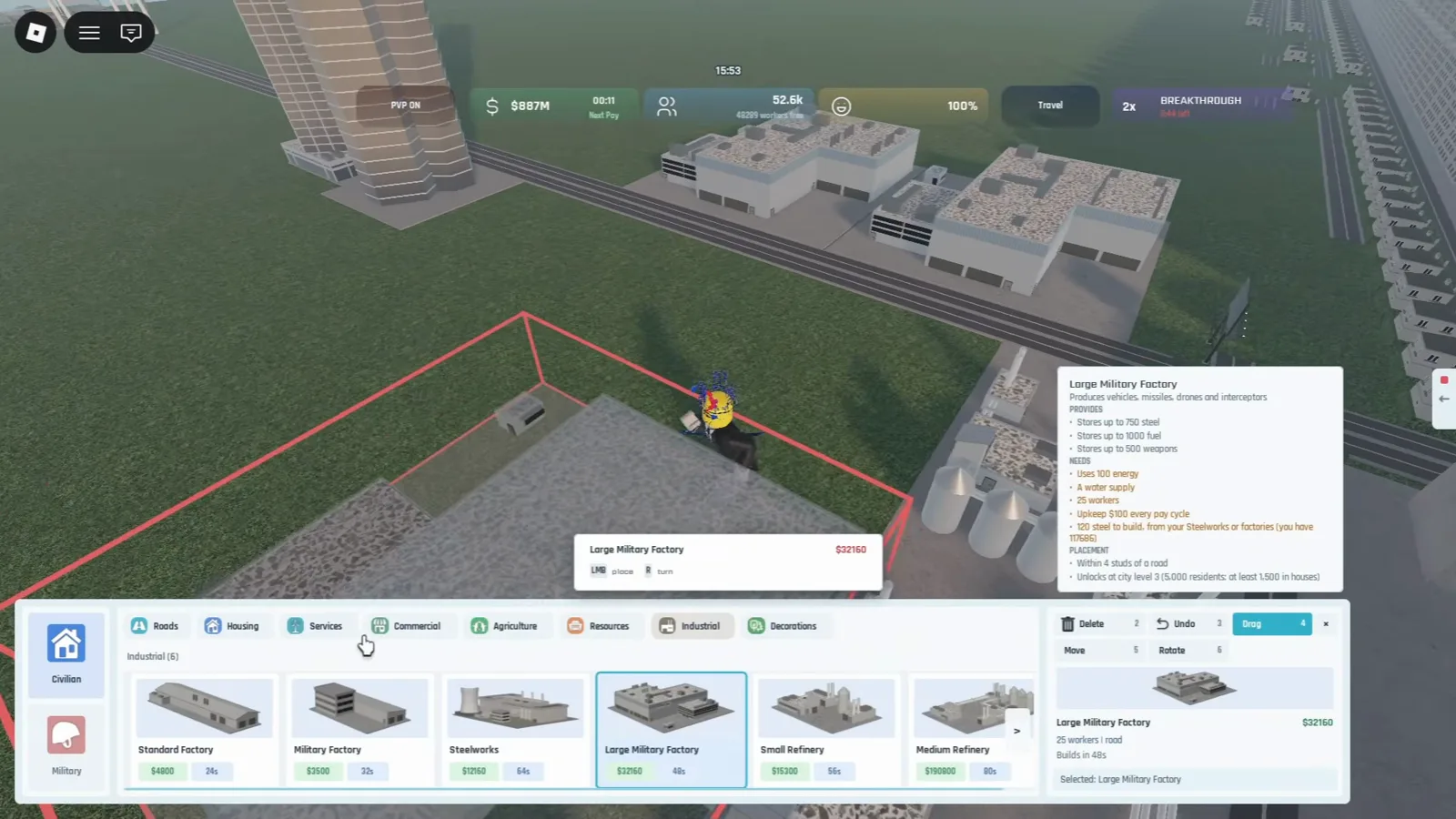
Large Military Factory tooltip on the Industrial menu—YellowHeadVin at 11:03.
How do you fire drones in combat?
Combat UI differs from ground right-click marching in mainland capture. In yQrxMkYV5Tc, the presenter selects KARRAR on a bottom hotbar (SH-136, KARRAR, missile types visible), with a top banner KARRAR SELECTED | 0 / 100 TARGETS | 1 READY over Marder test targets. That suggests drone strikes use launcher/munition selection and a target counter—we have not datamined damage or range.
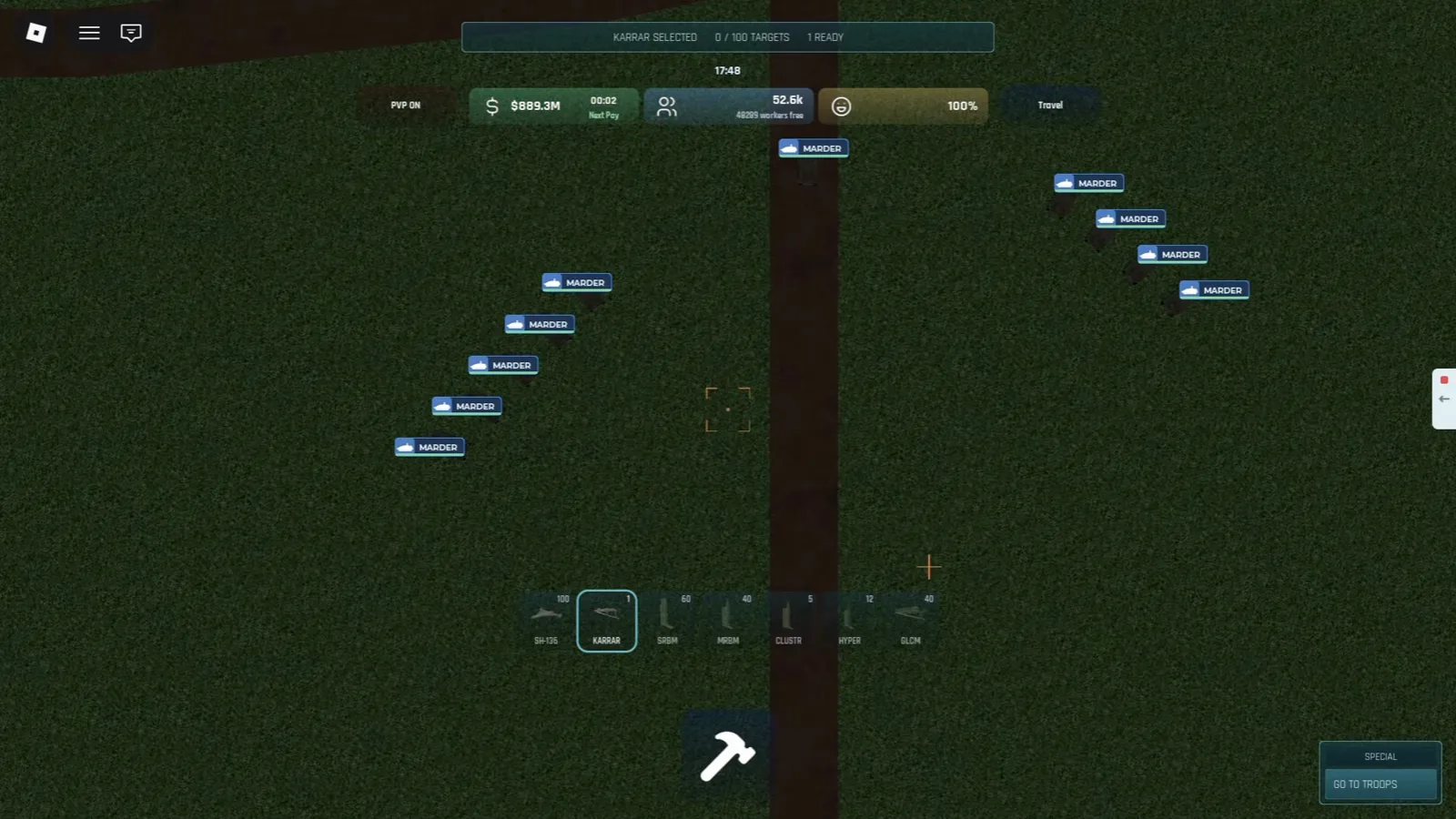
Karrar selected with the 0/100 target banner—YellowHeadVin at 12:16.
A WATCH DRONE prompt with a seconds-long countdown appears above the avatar while a strike is in flight—spectator camera, not a confirmed default keybind.
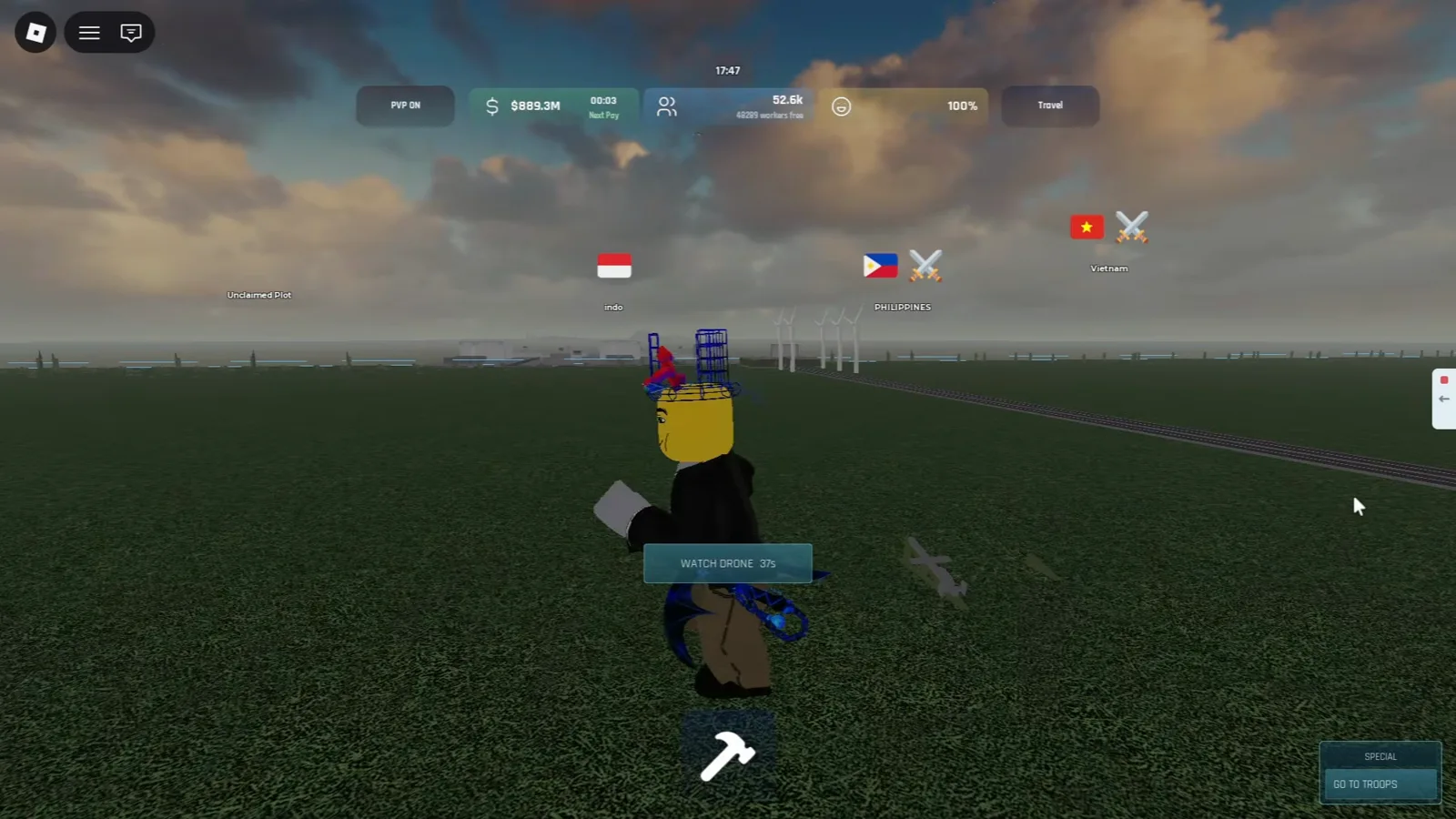
Spectator prompt while a drone is in flight—YellowHeadVin at 12:15.
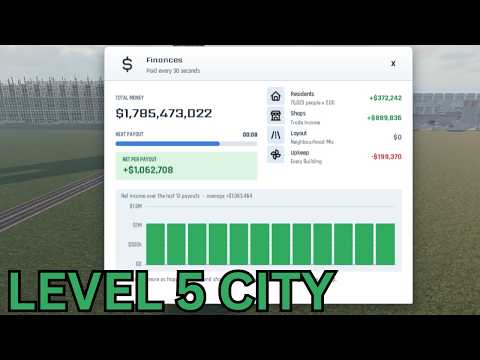
YellowHeadVin — level five update, drone research, and Karrar test (Build and Conquer Roblox)
Why do drone swarms matter for offense and defense?
Community strategy guides recommend stacking drones and missiles to saturate interceptors before heavy warheads land—mirror that when you attack, and plan layers when you defend. Warmense’s clip GI2q5v8LB-E (same Roblox place) shows a misty air view with small drone silhouettes, a distant orange outline, and a HUD line reading 24 of 24 with 0 missiles, 24 drones plus EXIT VIEW ESC—evidence that swarms are a real air defense problem, separate from quest grinding in hypersonic missile unlock.
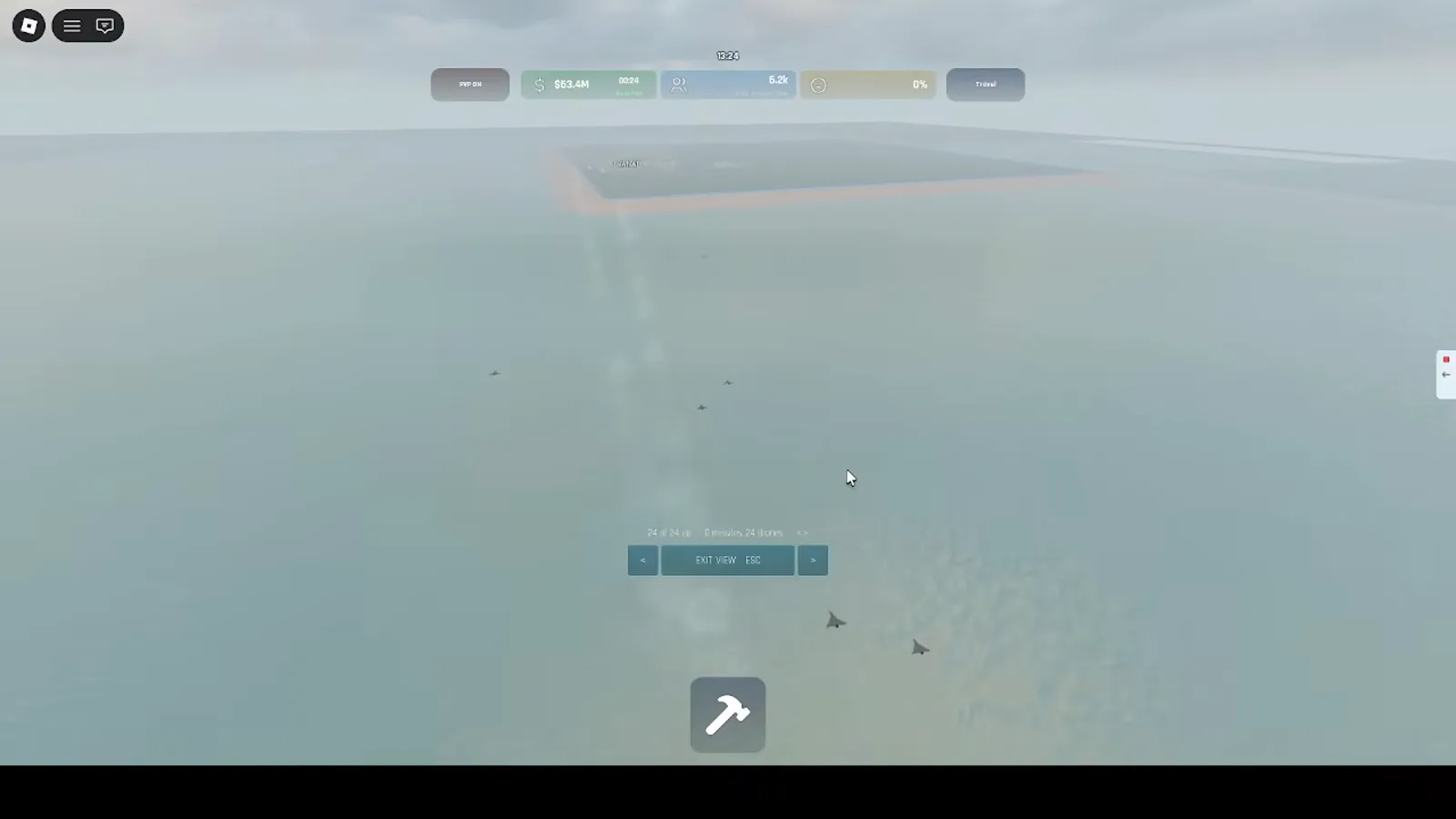
Swarm spectator HUD during a coastal raid—Warmense at 1:40.

Warmense — large drone raid versus C-RAM (Build and Conquer Roblox)
New accounts should still start with the beginner guide—launchers pull upkeep and PvP attention before your economy breathes.
Screenshots from YellowHeadVin’s walkthrough yQrxMkYV5Tc and Warmense’s raid clip GI2q5v8LB-E on Roblox place 103767961452227.
Related Articles
Guides
Best City Layout & Build Order in Build and Conquer Roblox
Best city layout in Build and Conquer Roblox: road grid, apartment density, utilities, commercial strips, industrial separation, and a pre-military checklist.
Guides
Build and Conquer Roblox City Levels: Reach Level 5 Metropolis
Build and Conquer Roblox city levels: L2–L5 gates, card quotas (500, 5,000, 20,000 residents), and 2,500-in-houses tips—check Buildings → City after BETA patches.
Guides
Buy Land & Expand City in Build and Conquer Roblox (2026)
Expand your Build and Conquer Roblox plot: official goals, community $200k land reports (not verified on-screen), blue borders in video, and More City Slots facts.
Was this helpful?
Thanks for the feedback!