
Guides
Buy Land & Expand City in Build and Conquer Roblox (2026)
Expand your Build and Conquer Roblox plot: official goals, community $200k land reports (not verified on-screen), blue borders in video, and More City Slots facts.
FAQ
How do you buy more land in Build and Conquer on Roblox?
How much does the first land expansion cost in Build and Conquer?
When should you expand instead of stacking buildings tighter?
Does the More City Slots game pass replace cash land purchases?
Will the map get bigger without buying plots?
Build and Conquer on Roblox (The Slop Company, V0.1 Beta, place 103767961452227) officially starts you on an empty plot and asks you to manage money, workers, population, and city expansion. Roblox does not publish adjacent-plot prices, a full expansion table, or the exact purchase UI. This guide states what is official, what community guides claim about buying land, what two walkthroughs actually show on screen, and what remains unknown—so you can expand without treating guesses as patch notes.
How does land expansion work on your home plot?
Roblox’s Games API description lists city expansion alongside money, workers, population, resources, happiness, power, research, and production—without naming a Buy land control or listing plot counts. Per community reports, buildandconquerroblox.wiki beginner and economy pages describe purchasing adjacent land plots after your first road grid fills with housing, utilities, and shops. That flow is community-reported; NasEwenb580 (Fundo) and yQrxMkYV5Tc (YellowHeadVin) do not show a readable purchase prompt or $200,000 debit in the frames we use here.
The official loop still applies: grow the city on your plot before heavy mainland war spending. Pair timing with the beginner guide, make money fast, and best city layout and build order so you are not buying dirt before roads and utilities work.
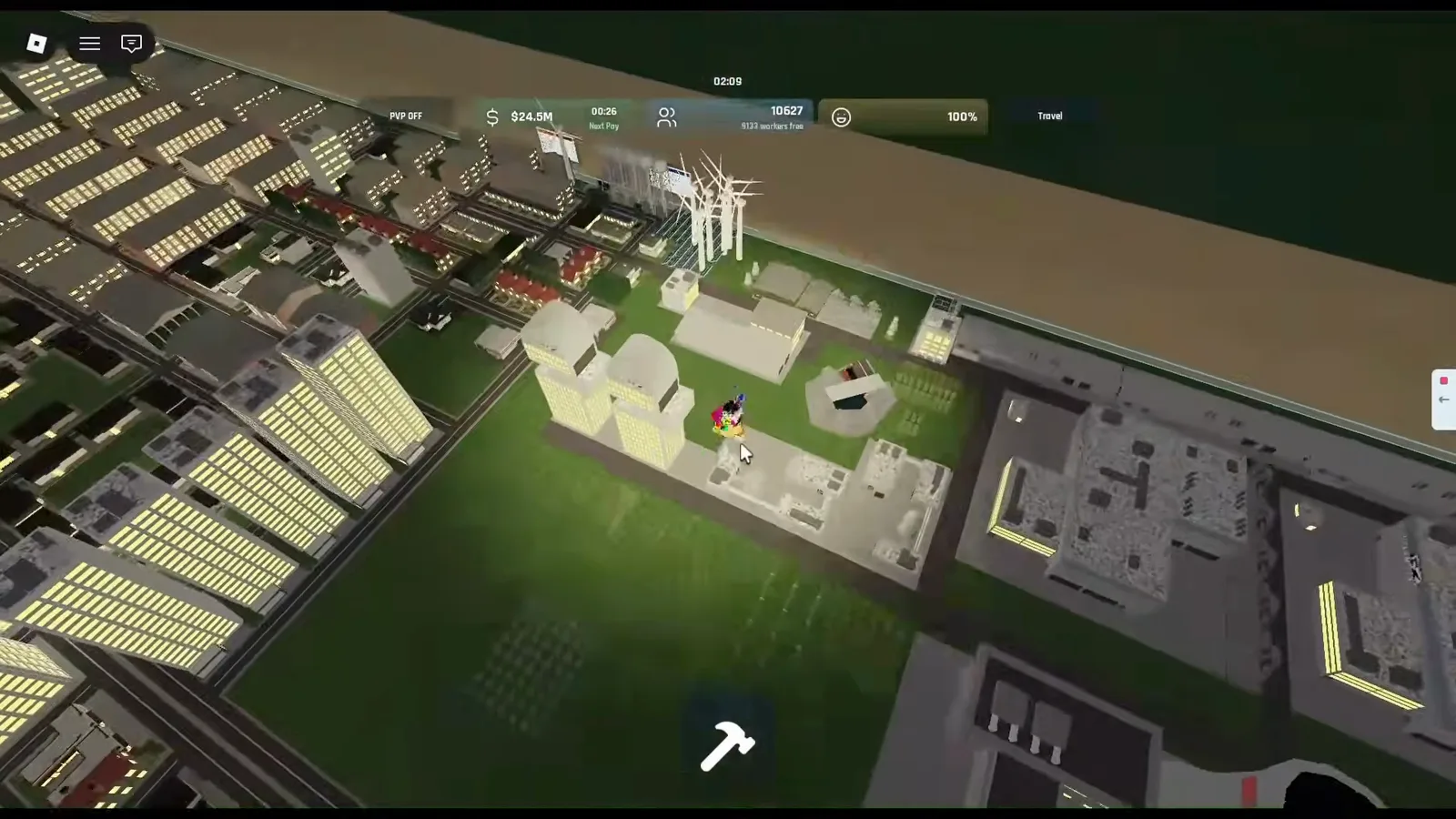
Fundo’s NasEwenb580 footage at night: HUD shows about $24.5M and ~10,665 population on a demo save; a blue line separates green build tiles from tan ground outside the developed area. Source: Fundo.
How much does an adjacent land plot cost?
Per community reports, early adjacent expansions are often quoted at $200,000 in-game cash on buildandconquerroblox.wiki beginner and population pages—a single-source community claim, not Roblox API text. The $200,000 figure and the absence of on-screen confirmation in these walkthroughs are both worth keeping in mind: wiki guides say one price; the cited videos show borders and economy UI, not a charge line.
Do not extrapolate second- or third-plot prices; the full land expansion price table remains publicly unknown. Save until Next Pay cycles can cover new roads, water towers, and commercial upkeep on any new footprint—see power and water utilities before you double utility load.
When should you buy land instead of cramming more buildings?
No cited source states a rule for when to buy land, so treat the checks below as our practical suggestions, not game rules. They follow the official goals (power, water, money management) and what the visible UI shows:
- Space inside your border — Walkthrough frames still show green grass inside the blue boundary before you reach tan outside terrain (see border section). If you still have legal road hooks there, tighten layout first—zoning habits live on best city layout and build order.
- Next Pay headroom — Our suggestion (not a documented rule): expand only when power, water, and at least one commercial piece keep Next Pay positive after a test row of housing or industry.
- Weapon storage cap — In yQrxMkYV5Tc @448s, the Large Military Factory panel reads Paused: Weapon Storage Full (500/500) and Full. Production Stops while Cluster BM sits at 0% paused—matching the build card line that the factory stores up to 500 weapons (detailed on military production setup and drones and UAV). That is a space and queue warning on a dense account, not documentation that land purchase clears storage.
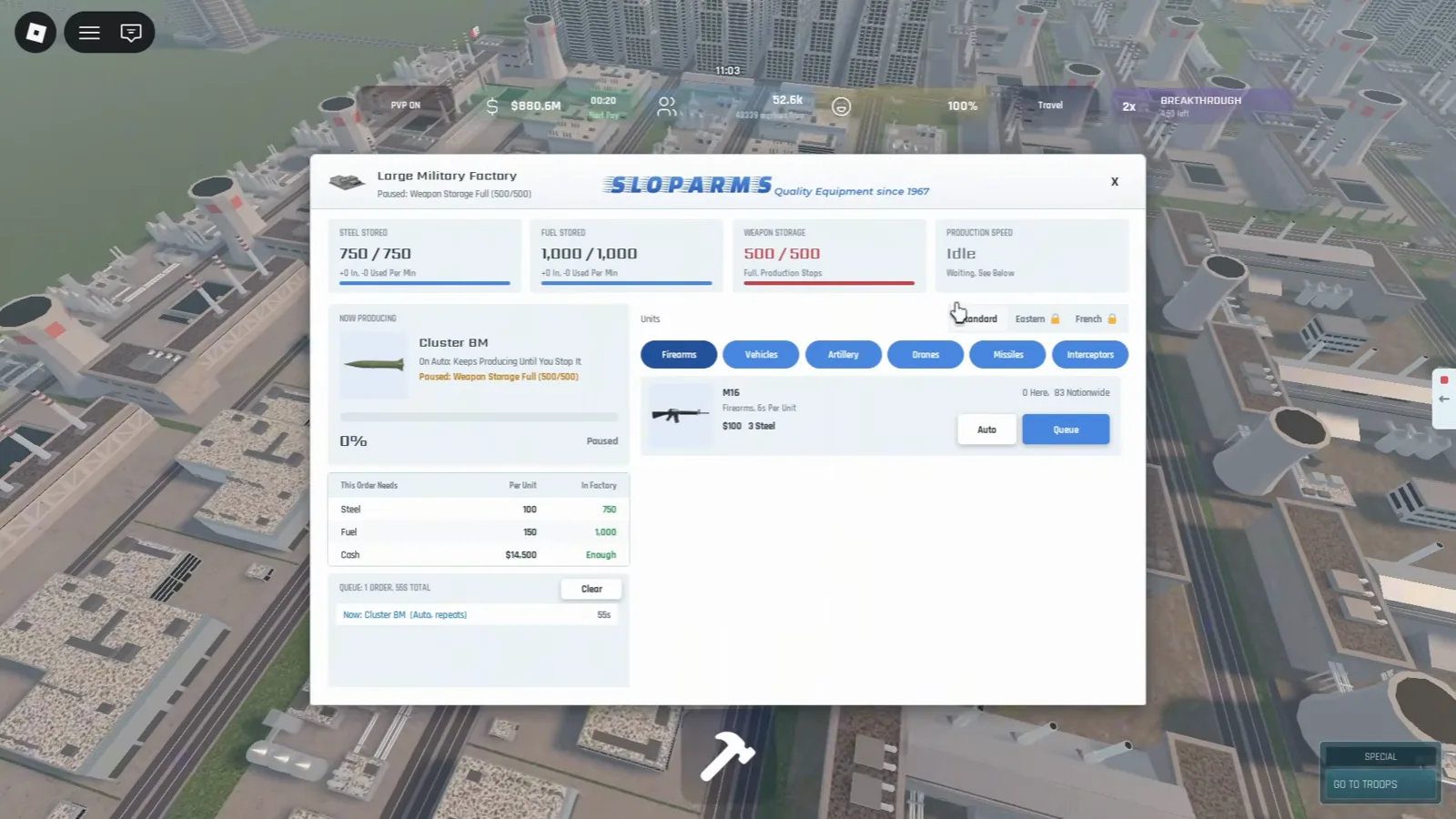
Same frame: HUD $880.6M, 52.6k population, PVP ON; Cluster BM order needs 100 steel, 150 fuel, $14,500 cash with storage blocking output. Source: YellowHeadVin.
What do plot borders look like in Build and Conquer?
Servers allow up to eight players (official maxPlayers on the Roblox Games API). Community walkthroughs on place 103767961452227 show a thin blue line along the edge of developed green grass, with tan or desert-style ground beyond—no buy-land button visible in these frames.
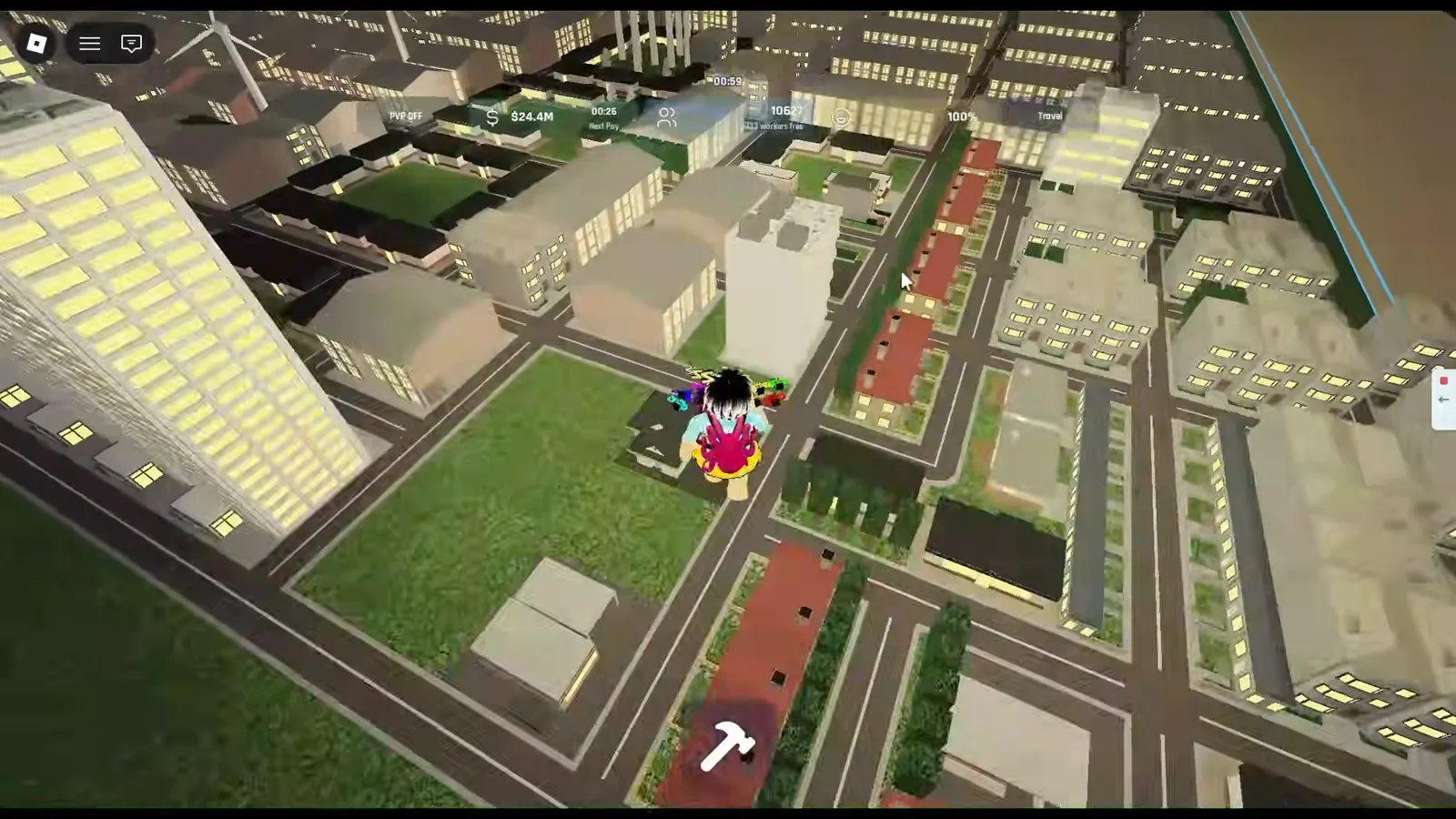
Fundo at NasEwenb580 @28s: HUD about $24.4M and ~10,627 population; the blue line runs along the road edge where tan ground begins. Source: Fundo.
Press E and point to teleport across your territory (per community reports in YellowHeadVin’s update video)—useful for inspecting far edges without deleting roads. City tier gates that affect what you can build—not plot purchase—are on city levels; note that 250 population military headlines and 500 residents / ≥300 in houses build-card text both appear in public guides and may measure different rules until your Buildings → City panel matches.
Does More City Slots change land expansion?
Roblox sells More City Slots for 249 Robux with an empty official description string (API fetch 2026-10-11). Community guides do not prove it replaces $200,000 plot purchases or adds parallel home instances. Read game passes worth it and screenshot the pass inside Roblox before treating it as an expansion shortcut.
Mainland sector buffs (+20% / +30% per community reports) change income on your existing plot—they are not land purchases. See mainland capture and PvP before expanding mainly for war income.
Official vs community expansion facts
| Topic | Official (Roblox) | Community / video reports | Unverified by this page |
|---|---|---|---|
| Starting space | Empty plot; manage expansion | Buy adjacent plots when full | Purchase button label |
| Plot price | Not published | $200,000 first adjacent plot (wiki) | On-screen price capture |
| Plot border | Not described in API blurb | Blue line; green inside, tan outside (Fundo footage) | Whether line always equals purchase edge |
| Weapon storage cap | Not in API blurb | 500/500 stops production (YellowHeadVin UI) | Whether buying land resets storage |
| More City Slots | 249 R$ pass listed | Unknown slot count | Pass description text |
| Teleport QoL | Not in API blurb | E + mouse point (YellowHeadVin) | Hotkey in settings UI |
| Future map size | Not promised | Roadmap slide mentions map expansion (spoken) | Delivery date |
| Level 2 gate | Not in API blurb | 250 population (wiki) vs 500 residents / ≥300 in houses (build cards in same video era) | Which gate your account uses today |

Fundo starter city and blue plot borders in Build and Conquer on Roblox
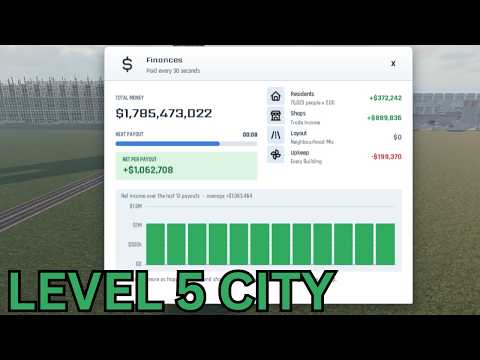
YellowHeadVin level 5 city, factory storage cap, and plot edges in Build and Conquer
Screenshots from community walkthroughs (Fundo, YellowHeadVin) on Roblox place 103767961452227.
Related Articles
Guides
Best City Layout & Build Order in Build and Conquer Roblox
Best city layout in Build and Conquer Roblox: road grid, apartment density, utilities, commercial strips, industrial separation, and a pre-military checklist.
Guides
Build and Conquer Roblox City Levels: Reach Level 5 Metropolis
Build and Conquer Roblox city levels: L2–L5 gates, card quotas (500, 5,000, 20,000 residents), and 2,500-in-houses tips—check Buildings → City after BETA patches.
Military
Build and Conquer Roblox Drones — Shahed-136, Karrar & Launchers
Shahed-136, Shahed-236, and Karrar drones in Build and Conquer Roblox: research times, launcher costs, Large Military Factory UI—verify before mainland PvP.
Was this helpful?
Thanks for the feedback!